K-POP

Can you use face filters in a BELIFT LAB audition video in 2026?

Andxo·2026년 10월 9일2026년 10월 기준 정보

Can you use face filters in a BELIFT LAB audition video in 2026?

Can you use face filters in a BELIFT LAB audition video in 2026?

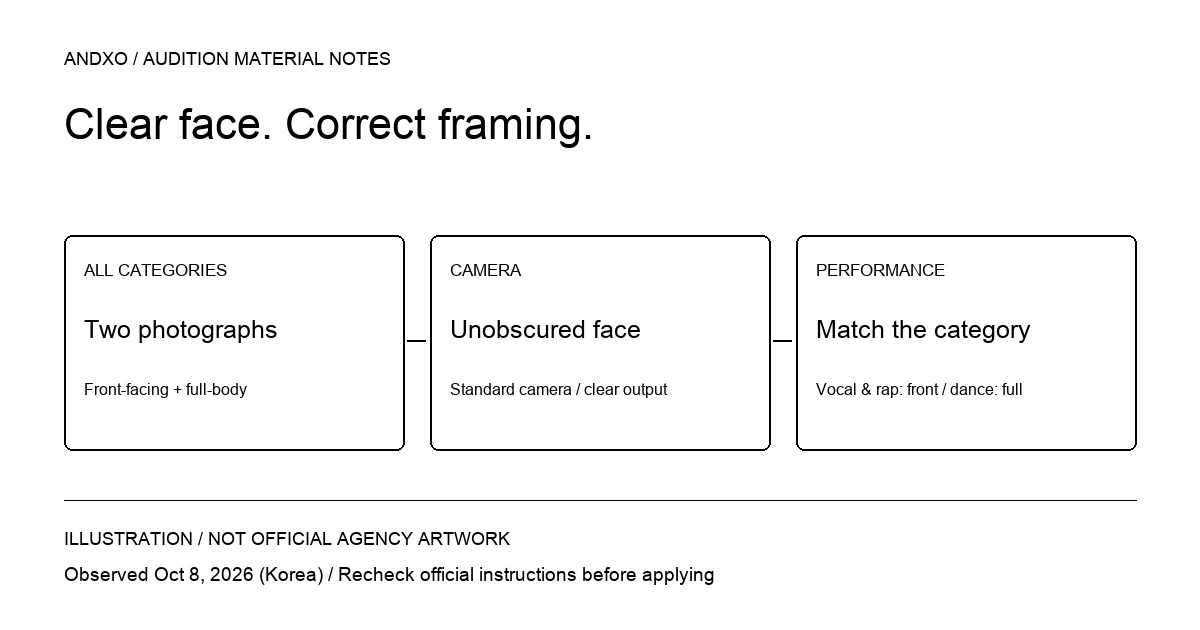
Do not use a filter that obscures your face. The observed BELIFT LAB audition instructions exclude material from evaluation when a face is obscured by a mask, filter, or another means. Use a standard camera with clear resolution, prepare both front-facing and full-body photographs, and match your performance framing to your category.

This is a recording and file-preparation guide. It does not establish your eligibility or a closing date. The official source does not verify age, gender, nationality conditions, a universal video duration, or upload-size limits; read those conditions on the current official application before proceeding.

Photo and performance facts at a glance

Material or categoryOfficial information observed
Photographs, every categoryFront-facing and full-body photographs mandatory
CameraStandard camera and clear resolution
Obscured faceMask, filter, or other obstruction excluded from evaluation
Vocal and rapFront-facing performance
DancingFull-body performance
ProducingCreative work such as lyrics, composition, or instrument work
OthersExamples include acting, walking, and posing
Duration and file sizeUniversal limits not verified in official page checked on October 9

Illustration: clear camera output, required photos, and category framing Illustration: an original Andxo recording-check diagram, not an official BELIFT LAB asset, product screen, or applicant photograph.

Check the camera before recording a complete take

Some camera applications remember effects from a previous recording. Open the camera you plan to use and inspect its settings before filming. Avoid selecting a face effect merely because it looks familiar from a social-media post.

Make a short test recording, save it, and play it back. This is practical preparation advice, not an additional BELIFT submission requirement. Inspect the saved result for an obscured face, a mask, or an effect that changes what is visible. Checking only the live preview can miss a setting applied during export.

The evidence does not define every possible cosmetic adjustment or establish a safe list of approved filters. Rather than guessing which effect crosses a boundary, record plainly with a standard camera and recheck the current instructions.

Two photographs remain necessary for every category

A creative-work file does not replace those images. Make a checklist with two separate photo slots before assembling the performance material.

For the front-facing photograph, inspect whether the face can be seen clearly. For the full-body photograph, check that the saved frame contains the entire body. A video thumbnail, cropped portrait, or image from an unrelated submission should not be assumed to satisfy the current photo fields.

These checks help you prepare the right kinds of files. They do not establish required clothing, a studio background, a camera model, or a paid photoshoot. Follow any additional current form instructions rather than copying another applicant's setup.
Use category-specific framing

Choose a camera position that lets the selected performance fit the actual category instructions. Those examples are not a complete file-format specification. Read the selected category's current upload instructions before deciding whether to prepare a video, document, or another accepted format.

The official guidance does not confirm how many categories one person may submit, whether external video links are accepted, or a universal time limit. Do not borrow those rules from another HYBE label or a generic audition template.

Pre-upload checklist

  • Start from BELIFT LAB's own official audition page and its Apply link.

  • Read the current eligibility, deadline, and category conditions.

  • Verify creative-work requirements for producing or the selected “others” option.

  • Read actual upload limits before exporting and submitting files.

FAQ

Are filters allowed if they look subtle?

The evidence does not provide an approved-filter list. Use the standard camera route and check current official wording instead of treating subtlety as permission.

How should I check the complete file set?

Compare your saved files with each material row in the table. Do not assume a creative-work upload replaces a different required field.

Is every video supposed to be one minute?

No universal duration was verified here. ADOR's minimum or WAKEONE's talent limit cannot be transferred to BELIFT LAB.

Who is eligible, and when does the application close?

Those details were not verified in the official page checked on October 9. Confirm them in the live application; this article does not infer them from group history or another label's rules.

Official next step and source date

Start at BELIFT LAB's official audition page, whose Apply link led to the English application portal in the official guidance. Facts were observed on October 9, 2026, Korea time; the portal is undated; recheck it before submitting.

For further exploration, use Andxo's audition directory, then verify each agency's own current conditions. Directory schedules are not independently confirmed here.

관련 글